Linux
Agents for Linux are uncommon in this category. Most trackers cover macOS and Windows and leave Linux users filling in a form, which means the engineers are the ones guessing.
Tracking time is a solved problem — there are a dozen good products that do it. What is not solved is the gap afterwards: the export, the spreadsheet, and the month-end transfer where the hours that were worked become the hours that survived being re-typed. Rise Up closes that gap by sending them straight into payroll.
Almost every team has a time tracker and a payroll system, and almost nobody has them connected. What sits in between is a person, a spreadsheet and a deadline.
None of that is anybody being careless. It is the predictable result of asking a human to copy numbers between two systems once a month, under time pressure, with no way to check the result against anything.
Agents for Linux are uncommon in this category. Most trackers cover macOS and Windows and leave Linux users filling in a form, which means the engineers are the ones guessing.
A native agent rather than a browser tab that has to stay open to count.
The same agent, so a mixed team is measured one way rather than two.
For anyone who cannot install software, or should not have to — contractors, occasional users, a borrowed machine.
A timesheet is only worth the confidence you have in it. Rise Up is built so that the measured hours and the remembered hours stay visibly different from each other.
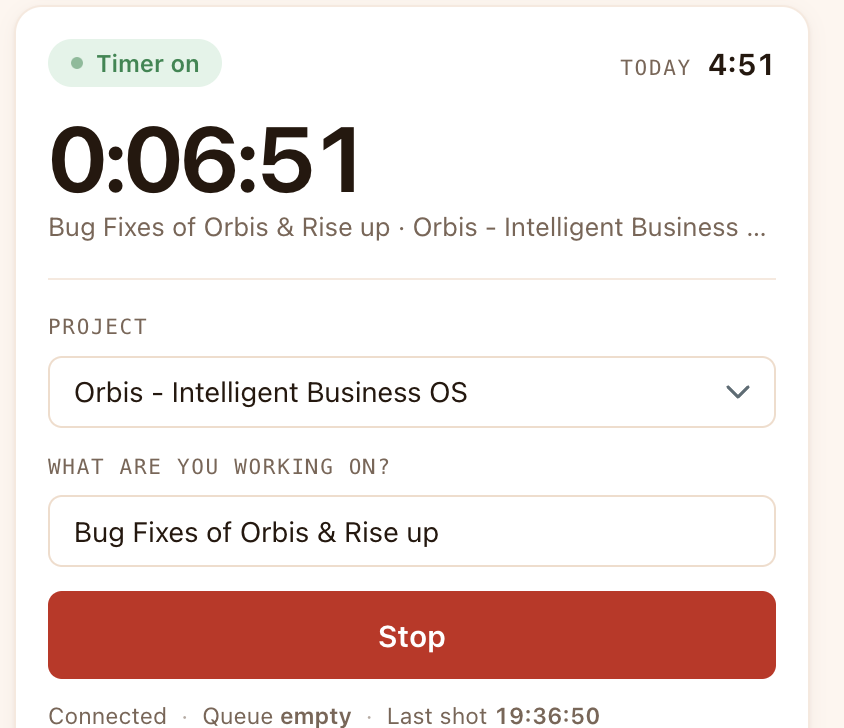
The timer will not start on nothing. Saying what you are working on before you begin is what makes the hours worth anything afterwards.
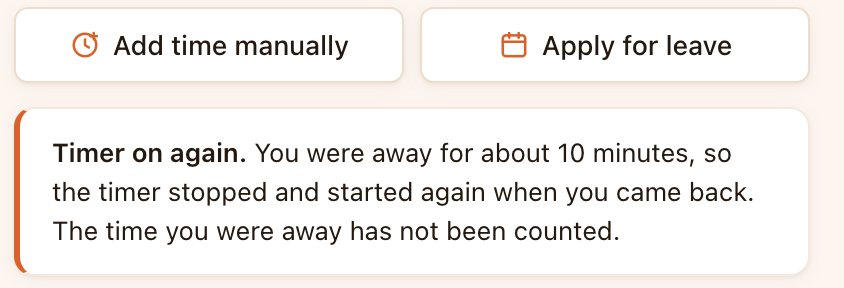
Step away and the timer stops; come back and it starts again, and it tells you plainly that the gap was not counted.
Forgotten time can be added, but it is stored as manual, with no screenshots and a stated reason, so an approver can tell it apart.
Screenshots on an interval rather than a continuous recording, with the time of the last one shown in the window.
A “what is being recorded right now” panel, a log you can open, and a Go private control — in the same window, not buried in an admin setting.
Time recorded while the connection is down is queued and sent when it returns. Work on a bad network is still work.
Because the other end is an ERP rather than a reporting dashboard, the window you leave open to track time is also where your work queue lives. No other tracker can do this without owning the system the work is in.
Open tasks come through from Orbis. Start the timer on one directly rather than retyping its name into a tracker.
Tasks past their date, follow-ups due, leave requests to approve, overdue invoices — in the window you already have open all day.
Leave type, dates and a reason, sent for approval. It lands in the same Orbis that runs the payroll the hours feed.
Tracked hours sync into Orbis, where the Team module runs payroll with the Indian statutory rules — PF, ESI, PT and LWF computed with their ceilings and slabs rather than as flat rates.
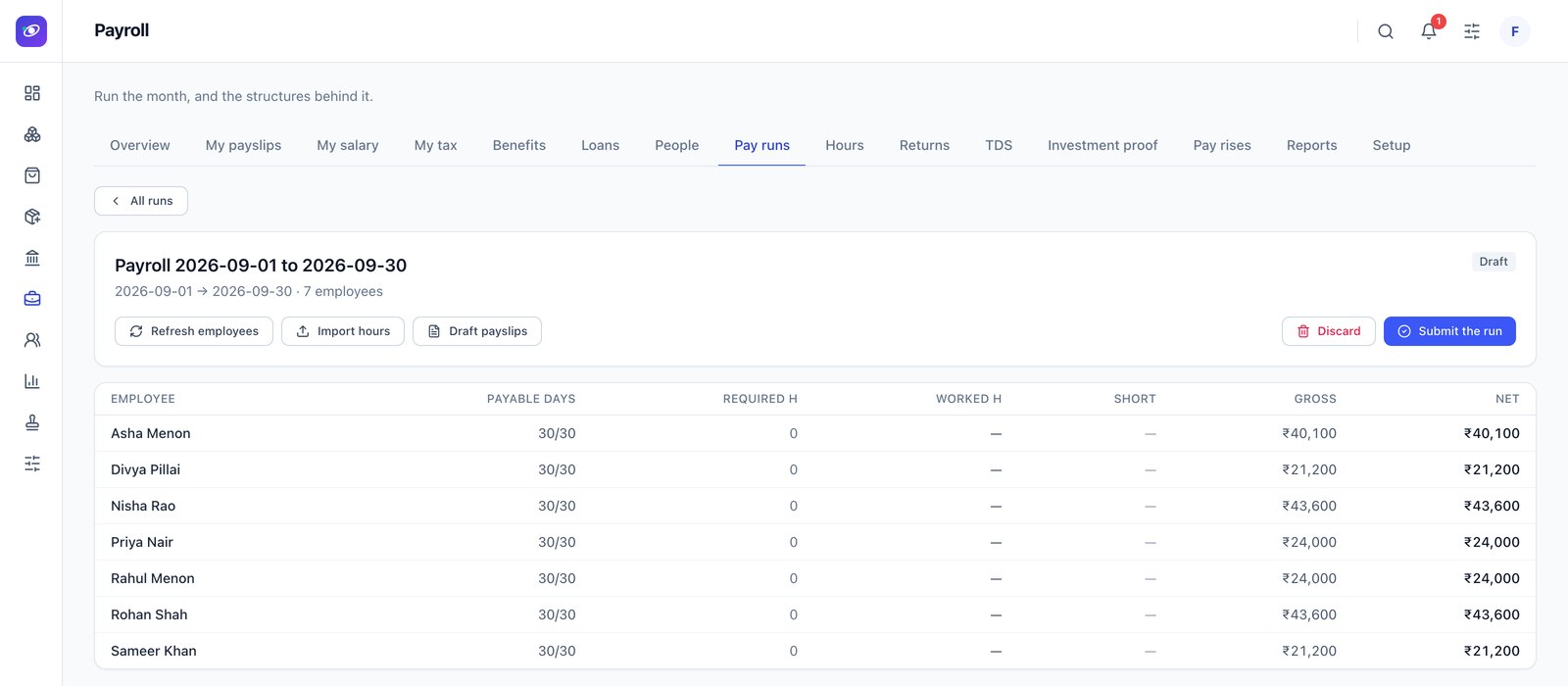
Because it is one record rather than two systems and an export, there is no monthly reconciliation to do. The hours that drive the pay are the hours that were measured, and a correction made afterwards is visible to everything that reads them — including, for client work, the project costing.
Orbis itself runs as a macOS and Windows desktop app as well as in the browser, so a team that works in desktop software all day is not pushed back into a browser tab to approve a timesheet.
More on the payroll side in Orbis HRMS, and on why the statutory detail is the part that goes wrong in PF, ESI, PT and LWF: Indian payroll without the March panic.
Desktop agents for Linux, macOS and Windows, plus a web version. The Linux agent is the one worth noting — most time trackers cover macOS and Windows only, which leaves the engineers on Linux estimating their hours into a form at the end of the week.
The demonstration worth asking for is the whole chain: hours recorded on one machine, arriving in a payroll run, without anybody exporting anything in between.